
Published 6 October 20266 min read
Tom Hadley
Content Writer
Warehouse teams lose hours every week to jobs that should be simple. Digging through spreadsheets to answer a basic question. Waiting on a developer for a tool you could explain in five minutes. Walking pickers around a layout nobody has properly mapped. Answering the same "where's my parcel?" email for the hundredth time.
Helm WMS is built to take that work off your plate, and AI is a big part of how. It isn't a bolt-on extra. It sits inside the everyday jobs that slow operations down, so your team spends less time on admin and more time getting orders out of the door.
Whether you've just started your free trial or have a demo booked, this guide shows you what each AI feature does and the difference it can make to your operation.
In this guide:
AI App Building: create custom apps for your warehouse just by describing them
AI Reporting: ask questions of your data and get instant answers
AI Chatbot: give shoppers instant answers to their shipping questions
Warehouse Mapping: turn your layout into a live digital map that cuts walking time
Carrier Gateway: connect any carrier with an API in minutes
Virtual Switch: see how a new carrier would perform before you switch
AI App Building: Create the Tools Your Warehouse Needs
Every warehouse works a little differently. Your WMS covers most of what you need, but there's always the report it doesn't have or the dashboard that would normally cost extra. Usually that means a long wait in a development queue or yet another spreadsheet workaround.
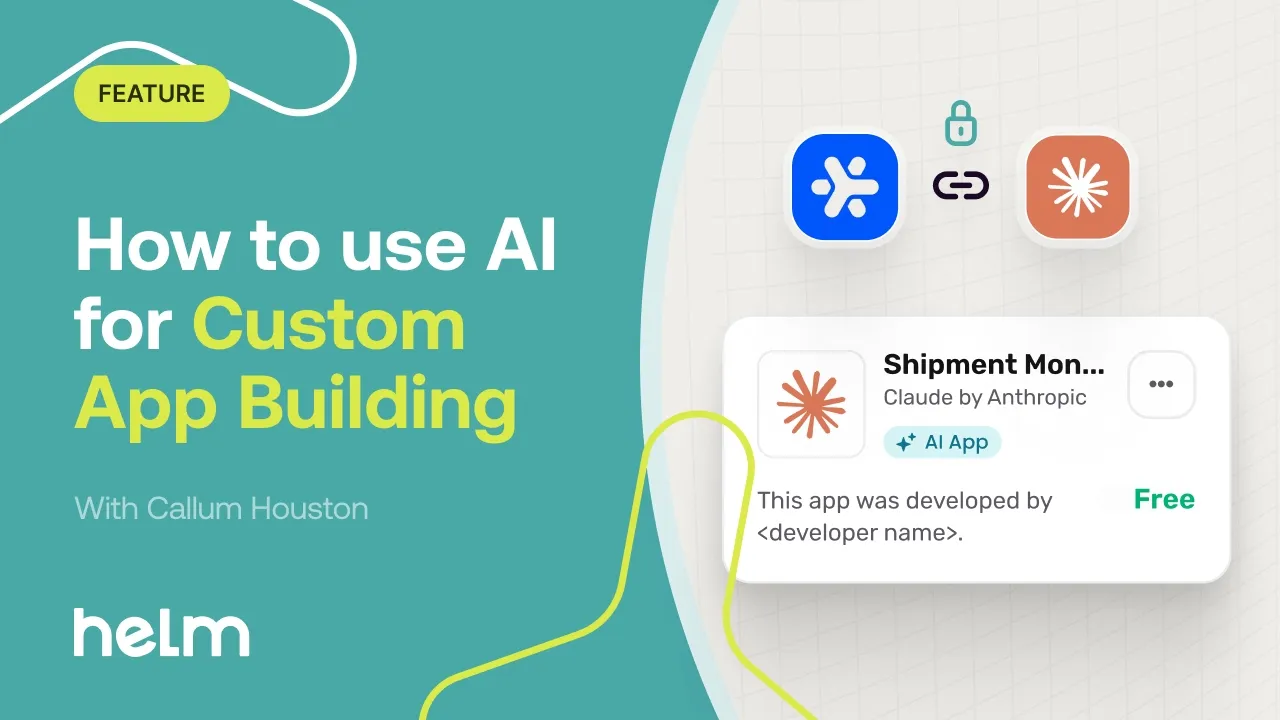
AI App Building in Helm lets you create custom apps by describing what you need in plain English. Claude turns your idea into a working app that runs inside Helm, so there is no separate system to manage. You can launch it from Claude desktop, connecting straight into your WMS through Helm's MCP server.
These apps don't just display your data, either. They can save changes back into Helm, from stock transfers to purchase orders, so they become part of how your team actually works.
What You Get with AI App Building:
No coding required: go from prompt to live app in minutes, without waiting on developers
Built around your operation: create apps that fit the way your warehouse works, with no charge per app and no limit on how many you build
Connected from day one: apps run inside Helm, alongside the data and workflows you already use
You stay in control: choose read-only, read-and-save or full read-and-write access, and decide whether personal data is redacted or allowed
Easy to refine: change an app just by asking, with every edit saved as a new version
All you need to get started is your own Claude subscription.
AI Reporting: Ask Your Data Questions in Plain English
Most reports answer the question someone asked months ago. When you need something new, it usually means exporting data, building a spreadsheet and hoping the numbers line up.
Helm's powerful dashboards already give you real-time visibility across your entire operation, from order volumes and inventory levels to team performance and shipping trends. With built-in AI, you can go further.
Instead of digging through spreadsheets, you simply ask. For example:
"How do this week's order volumes compare with last week?"
"Which products are running low on stock?"
"How is team performance tracking this month?"
Make Faster, More Confident Decisions:
Instant insights: get answers in seconds rather than hours of manual analysis
Faster decisions: spot trends and issues as they happen, not at the end of the month
More confidence: base every decision on live Helm data rather than guesswork

AI Chatbot: Instant Shipping Support
"Where's my order?" "When will it arrive?" "Has my parcel been dispatched?" Routine shipping questions like these fill customer service inboxes every day, and every one takes time away from the issues that really need a person.
Helm’s AI-powered chatbot gives your customers instant, intelligent support for routine shipping questions. It integrates smoothly into your website or online store, so shoppers get answers at the moment they need them.
How the Chatbot Supports Your Customers:
Answers the questions customers ask most: gives shoppers instant order tracking details to cut "where is my order?" queries, and handles questions on returns, refunds and general FAQs
Learns from existing content: continuously learns from website pages, FAQs and uploaded documents, so its answers stay current and accurate
Quick to set up: embed it in a few clicks as a widget, a support page assistant or a fully branded chat experience, with no coding required
Works with existing tools: integrates with customer support platforms
Always on: available 24/7, so customers get help even when the support team is offline
What it Means for Your Support Team:
Fast, accurate answers: shoppers get help straight away, without waiting in a queue
Less pressure on support teams: routine queries are handled automatically, freeing your team to focus on complex issues
A more efficient support operation: fewer repetitive tickets means more time for the conversations that count
A better experience for your clients: faster support lifts the overall customer experience you deliver
Lower operational costs: automating high-volume requests cuts response times and the cost of running support
Warehouse Mapping: See Your Warehouse the Way Helm Sees It
Most warehouses run on location codes in a WMS and a layout that lives in someone's head, a faded wall print or an out-of-date CAD file. Helm knows every location code and what is in it, but not where those codes physically sit. New starters, managers and clients can't picture the warehouse without walking it.
That hidden layout costs time. Walking is typically the largest share of picking time, yet fast-moving stock often sits far from packing because nobody can see the pattern.
Helm Warehouse Mapping turns your warehouse into an accurate, living digital map. Build it in minutes, see your stock on it and use it to cut picker walking time. It installs from the Helm App Store and runs inside Helm, so there is no separate login or data import.
Build A Warehouse Map in Minutes with AI
There are three ways to get started:
Upload a floor plan and let AI read it: upload a PDF or image and AI picks out walls, racking runs, doors, docks and zones to create a draft map. A "What I can see" view shows exactly what it read, with any assumptions listed for you to review.
Answer a few simple questions: if your plan is hand-drawn, unclear or not to scale, a guided interview asks multiple-choice questions about aisle count, aisle width, rack height and shelves.
Draw or trace it yourself: use the drag-and-drop, kitchen-planner style editor, or place your own drawing under the grid, scale it and draw over the top.
Maps are built in real millimeters and handle custom building shapes, multiple floors, mezzanines, stairs and lifts, so older or oddly shaped sites map just as accurately.
Connect It to Your Live Helm Data
Assign Helm location codes to racks, shelves or free-standing storage points. You can also export racks and shelves to Excel or CSV, fill in the codes and import them back with a preview of every change. An unassigned pool shows every Helm code not yet on the map, so even messy, bespoke location schemes map cleanly and nothing gets lost.
See and Search Your Warehouse
3D view and walk mode: turn your plan into a realistic 3D warehouse in one click, then take a Street-View-style walk through the aisles. Ideal for client tours, remote site visits and staff inductions.
Search and highlight: search for a SKU or location code and the map flies straight to it, across every floor.
Heatmaps: shade the map by capacity, pick velocity or Helm zone to spot full aisles, dead space and misplaced fast movers at a glance.
Cut Walking Time
Simulate a real job: choose an open pick or movement job from Helm and watch it routed across the map in Helm's stop order, with the total distance and time.
Slotting optimizer: get suggested stock moves that cut travel to packing, each with the time saved and a payback period in weeks. You only move stock when it is worth the effort, with a number to justify it.
Carrier Gateway: Add Any Carrier In Minutes
"That carrier isn't supported yet." For businesses expanding into new regions or using specialist, B2B or marketplace-specific carriers, waiting on a new integration can hold everything up.
Carrier Gateway lets you connect any carrier with an API, with no middleware or custom development. Helm already offers 160+ native carrier integrations, and Carrier Gateway means you are not limited to that list.
Add a New Carrier in Five Steps:
Create a gateway: open Carrier Gateway in the Apps section, then add the carrier's name, base API URL and API documentation.
Let AI do the mapping: Helm’s AI analyzes the documentation and suggests how data fields map to the carrier's API, with up to 90% accuracy.
Review and adjust: check the suggested mappings and edit any endpoint before you go live.
Add authentication: enter the carrier's API token in API Accounts.
Activate: create a preset with service details and transit times in the Service Directory, and the carrier is ready to use.
Why it Beats a Traditional Carrier Integration:
Minutes, not days: a carrier integration that used to take a developer days now takes minutes, and many can be completed in a single session
No integration costs: add the carriers you need without extra fees
No developer needed: some familiarity with API documentation helps, but if you can follow structured setup steps, you can do it
Virtual Switch: Compare Shipping Carriers
Changing carriers feels risky. Without a reliable way to compare them, many businesses stay with an underperforming carrier because switching feels like a gamble, or they switch out of frustration rather than evidence.
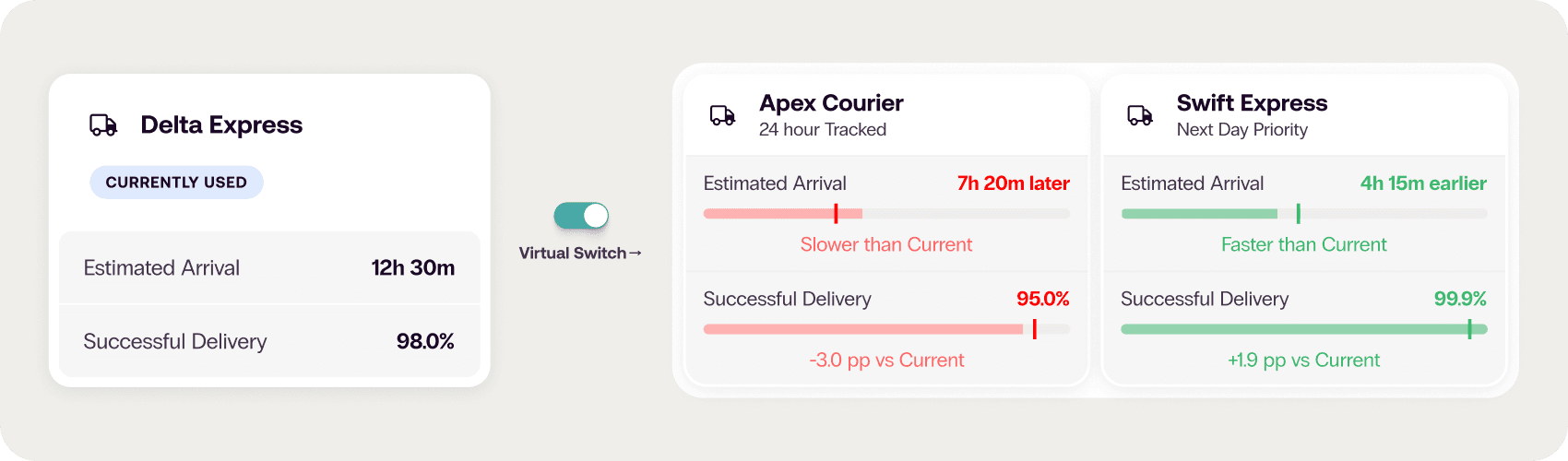
Virtual Switch is a carrier simulation engine that shows you how an alternative carrier would perform before you make the move. There's no need to import your own data. It models performance against your specific shipment profile: your routes, weights, service levels and destinations.
Compare Carriers in Three Simple Steps:
Set your parameters: open Virtual Switch and choose what you want to model.
Pick the carriers to compare: model several alternatives at once from Helm’s network of 160+ carriers.
Review the results: get a detailed breakdown by cost, transit time and on-time performance, ready to export.
What the Simulation Shows You:
Cost: projected spend with an alternative carrier, modeled against your order profile
Delivery performance: transit times compared by route, weight and service level
Reliability: on-time delivery rates matched to your destinations and service types
Simulations complete in minutes, so every carrier decision is backed by evidence rather than guesswork.
When to Run a Virtual Switch Simulation:
Your delivery performance has dropped
Your shipping costs have gone up
You're expanding into new regions
You want to pressure-test a carrier's proposal before you commit
Bring AI Into Your Warehouse with Helm
From building custom apps and answering questions about your data to mapping your warehouse and choosing the right carrier for every parcel, AI in Helm takes on the time-consuming work. That leaves your team free to focus on running a faster, smarter operation.